
Stopping at a hotel or using the Wi-Fi at Sea-Tac airport? You might be leaving your “Hive” wide open to predators.
Public Wi-Fi is convenient, but it’s rarely secure. When you connect your laptop or phone directly to a hotel’s network, you are visible to every other guest on that floor.
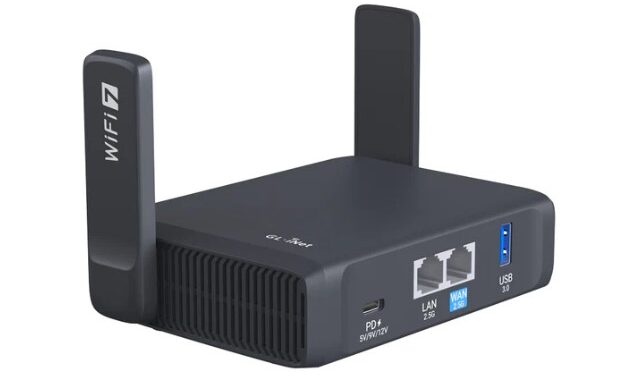
The Privacy Solution: The GL.iNet Travel Router This tiny device acts as a “Secure Gatekeeper” for your family. Here is how it works:
- You connect the GL.iNet to the hotel Wi-Fi.
- The router creates its own Private, Encrypted Bubble inside your room.
- All your devices (iPads, Phones, Laptops) connect to your private bubble, not the hotel.
Why we love it:
- Security: It hides your devices from hackers.
- VPN Ready: We can configure it to make your traffic look like it’s coming from your home in Lakewood, keeping your bank accounts happy.
- One-Time Login: You only have to deal with the hotel’s clunky “Sign-In” page once on the router, instead of on every single device you own.
Adding an Anker Power Bank to your travel router setup is a smart way to create a truly “off-grid” private Wi-Fi bubble. For travel routers like the GL.iNet Slate AX or Beryl AX, you need a power bank that provides a steady 5V/3A (15W) or higher to ensure stability, especially if you plan to plug in a USB drive or phone for tethering.
TIP: Cheap “gas station” power banks often can’t maintain the consistent voltage a router needs. If the voltage dips, the router reboots—usually right in the middle of an important Zoom call or bank transfer. Sticking with a high-quality brand like Anker ensures their secure connection stays rock solid.
Want to see one in action? Stop by the shop and we’ll show you why this is the only way we travel.